

Who Owns IT Security? Solving the "Nobody Owns It" Problem
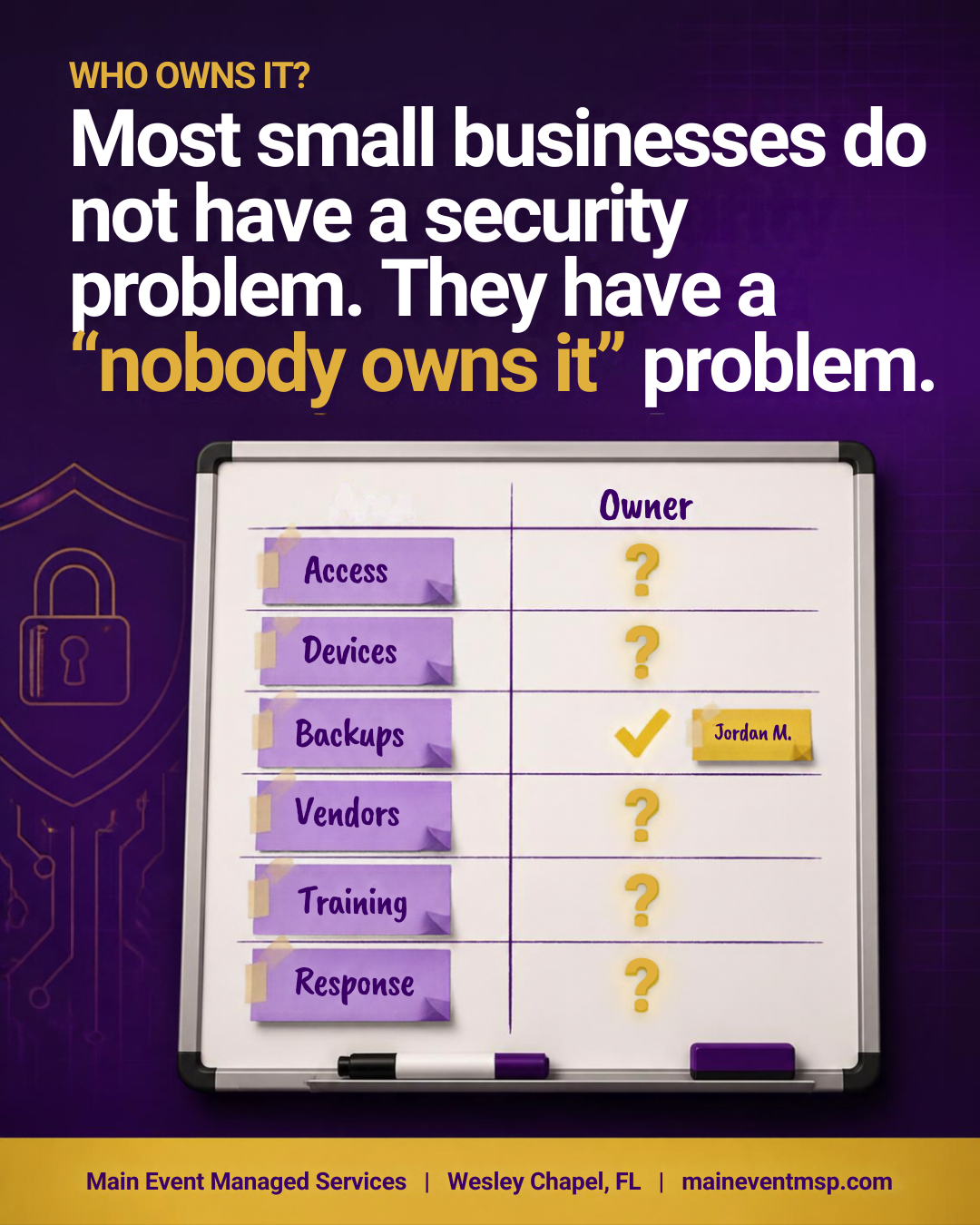
When we sit down with small business owners in Wesley Chapel and around Tampa Bay, we often expect to find a technology gap. Sometimes we do. More often, we find an ownership gap. The tools are there, the intentions are good, and everyone agrees security matters. But when we ask who checks whether the backups actually work, or who removes access when someone leaves, the room goes quiet. Security that belongs to everyone tends to belong to no one. The fix is not a bigger project or a new product. It is deciding who owns what.
What "nobody owns it" looks like
• Backups run every night, but nobody has tested a restore
• Former employees still have active accounts
• Software licenses and renewals are tracked in three different places
• Updates happen when someone remembers
• Vendors have access to your data, but nobody has asked them about their own security
• When something odd happens, people are unsure who to tell
None of these are failures of effort. They are what happens when a task is everyone's job on paper and no one's job in practice.
What owning security actually means
Ownership does not require deep technical skill. It means someone is accountable for making sure a short list of things happens on schedule, and for knowing the answer when asked:
• Accounts and access. Who has access to what, and who removes it when roles change.
• Devices and software. What the business owns, and whether it is updated and protected.
• Backups and recovery. Whether files can be restored, and how long that would take.
• Vendors. Who holds your data, and what you know about their practices.
• People and awareness. Who trains new hires and refreshes the team.
• Response. Who is called first when something looks wrong.
Who can be the owner
There is no single right answer. In a very small business, it may be the owner. In a growing office, it may be an office manager who is comfortable coordinating and asking questions. Many businesses choose an outside partner, such as a managed IT provider, to carry the technical work, paired with an internal person who represents the business and makes the decisions. That pairing works well because it separates two jobs: doing the technical work and being accountable for the outcomes.
What matters is that the name is written down, and that the person knows they hold the role.
What an outside partner does, and what stays with you
A managed IT provider typically handles configuration, monitoring, updates, backups, and reporting. What stays with the business are the decisions: who should have access, which risks are acceptable, which vendors to trust, and how the team is expected to behave. Splitting the work this way keeps the technical details off your plate without handing away accountability. The best relationships include a regular conversation where the provider reports and the business decides.
A simple ownership map
Try this exercise in thirty minutes. List the six areas above on a whiteboard or in a simple table. Next to each, write one name for who is accountable and one name for who does the day-to-day work (these can be the same person). Add how often it is reviewed: monthly, quarterly, or annually. Gaps become obvious immediately, and so do overloaded people. It is also a good moment to notice areas where an outside partner could take work off someone's plate.
A monthly thirty-minute check-in
Once ownership is clear, a short recurring meeting keeps it alive. Walk through a standing agenda: new and departed staff and their access, backup and update status, open questions from vendors, anything unusual reported by the team, and one small improvement to make before next month. Keep brief notes. Over a year, those notes become a helpful record of steady progress.
Signs the ownership map is working
You will know it is working when routine questions have quick answers. Someone can say when the last restore test happened. A departing employee's access is removed the same week. New vendors are asked a few standard questions before they get access. Team members know who to tell when something looks odd, and they actually tell them. These are quiet, unglamorous wins, and they are exactly what steady security looks like.
What this means for Florida insurance agencies
Florida Administrative Code Rule 69O-128.032 asks each licensee to implement a comprehensive written information security program, with administrative, technical, and physical safeguards for customer information, scaled to the size and complexity of the business. Naming who is responsible is one of the most practical administrative safeguards. It is also a common feature of frameworks that insurance regulators draw on, including the NAIC model law that many states have used as a starting point. A written program with named owners, review dates, and short meeting notes is far easier to stand behind than one that lives in someone's head.
Main Event Managed Services works with Wesley Chapel and Tampa Bay small businesses and Florida insurance agencies as the outside partner that carries the technical work and helps you build the ownership map. To start the conversation, visit maineventmsp.com.
